Showing posts with label facebook. Show all posts

Monday, March 28, 2016

Become famous in social media.

As said earlier "Social Media is an essential part of today's life”. Almost three-fourth of the world population use to be on social media (mostly on Facebook and Twitter) which allow many persons to become famous over a night. Most of the people in India think that if you have more than 1K followers then you are a famous guy or girl. To those who want to become famous on social media they just have to express them in ways which are describes below.


(click to see photo in real size)

For Twitter


When you share a post on twitter then how many people are acknowledging it and how many new persons are seeing it. The beauty is how you represent yourself on twitter with the help of post. Most people think twitter as microblog which allow them to share small thoughts with the big world. Most of the big names are already present on twitter and many common persons were able to shine their names too. If you want to gain more followers on twitter the first thing you have to do is change the color of your profile page. As default twitter provide blue (its official color) and all hyperlinks also appear in blue color but if you change the color then you have the power of freshness. Those who always saw the old blue color will be attracted to your page and those who are new to the site will also be attracted because they got only familiar with the default color. To do so you have to click on your profile picture then click on edit profile option. You will find change color option their or just use the picture as reference. Next thing is you have to post or share most reasonable content. Always use hash tags within the post. Try to post about hot topics. I am positive if you apply these things with your twitter account then you will definitely increase the number of followers on twitter.

(click to see photo in real size)

For Facebook


Facebook is the most famous and most used social media in history of social media. If you become famous on such huge platform I am sure that it will boost your career. To do so you just have to follow some steps. First you have to know that Facebook is made up of a superb algorithm which allow users to find their interest whether it is a group of people, advertisement or type friend. That algorithm can become you hope. (If you can use it properly) Now days the algorithm has been updated and whatever you post it will find some group of people which are interested in that post. But to increase the number of people you have to take some serious steps. First whenever you post anything try to add graphics (there is resson this site support different form of graphics) then you have to add #tags within your post similarly we used in twitter. When you posted anything then you must share that within a group which will allow many persons analyze what you think about the topic and how you represent that topic even further then your friend zone. With previous algorithm post was shared if it contains URLs to every known source but now they only target which matches the keywords. So you have to choose carefully the keyword if you want the max impact of that post. And if you share a post then use the original post.

These steps also apply on various social media website but with some additional steps. On personal note if you want famous you have two ways become first of the kind and be original or represent in a better way. Think about this line and I hope you will get the answer. And don’t forget to Like BloggerGamers, share this post using above methods and please make sure you follow me on Google+TwitterFacebook, and Instagram by clicking on it 

Tuesday, March 15, 2016

Make your account Hack proof with three easy methods.


Facebook, Twitter and Gmail are the most important and accessed accounts on many different devices. Those who spontaneously access their account on many device they have to read this article and make their accounts hack proof.  For those who lost their accounts, there is some hope left to recover their precious data and account. So let’s begin with our tips class which will help you to make that account hack proof and recover what is lost.


Password is not enough.

The heading says it all; password alone is not enough to get access in your account. Now day social networking and emailing is an essential part of our life. Most of the time we share very important data with the help of e-mail because it is cheaper as compare to normal physical mail, it take less time, attractive to use (thanks to GUI) and easy to send any type of information across globe. As per the social networking sites they contain a very important thing which a user never allow anyone to access (not even their parents), the persona they made by chatting with friends and tweeting what they are doing or posting their opinions for any hot topic; but when an unwanted person (mostly hackers) interfere their precious world, they feel like a disaster has happened with them. So to prevent that disaster we have to make our accounts Hackers proof and for that password is not important. We have to activate 2-step verification. With this features you can use your account on any device with an ease. For that you have to go to your settings and activate that service which will require your mobile number to connect with your account. So when you try to access your account you have to insert an OTC (One time code) and only after that you can access your account. Even if any hacker knows your password still he/ she can’t get access into your account.

Make your personal device a cop.

The second method is; when you connected your personal smart phone number with your account then also check for the mobile verification number. With the help of this number you get alerted whenever your account is accessed. If you get any unusual login message on your smart phone device then you can take actions toward the situation.


Know when and where.

To know from where and which time your account is last logged in on Gmail then you just have to login in your Gmail account then Drag that scroll bar down all the way to bottom, then you can click on Details by which you can get all the knowledge of your last login attempt. Which will be when you last logged in your account and even place (from where you logged in). For Facebook you have to open your timeline and find activity keyword on that page (mostly found near cover picture) then click on it. Now you can see your comments and likes done by your account and if you found anything suspicious then change your password immediately.     

Now you have the power of knowledge by which you can make your account inaccessible by unauthorized personality. Every time I give you some knowledge and want nothing but this time I want something from you guys. Share this post with your friends and enemies tFacebook before following me on Google+TwitterFacebook, and Instagram by clicking on it
o make this internet world a safer place and Follow this website on

Monday, January 11, 2016

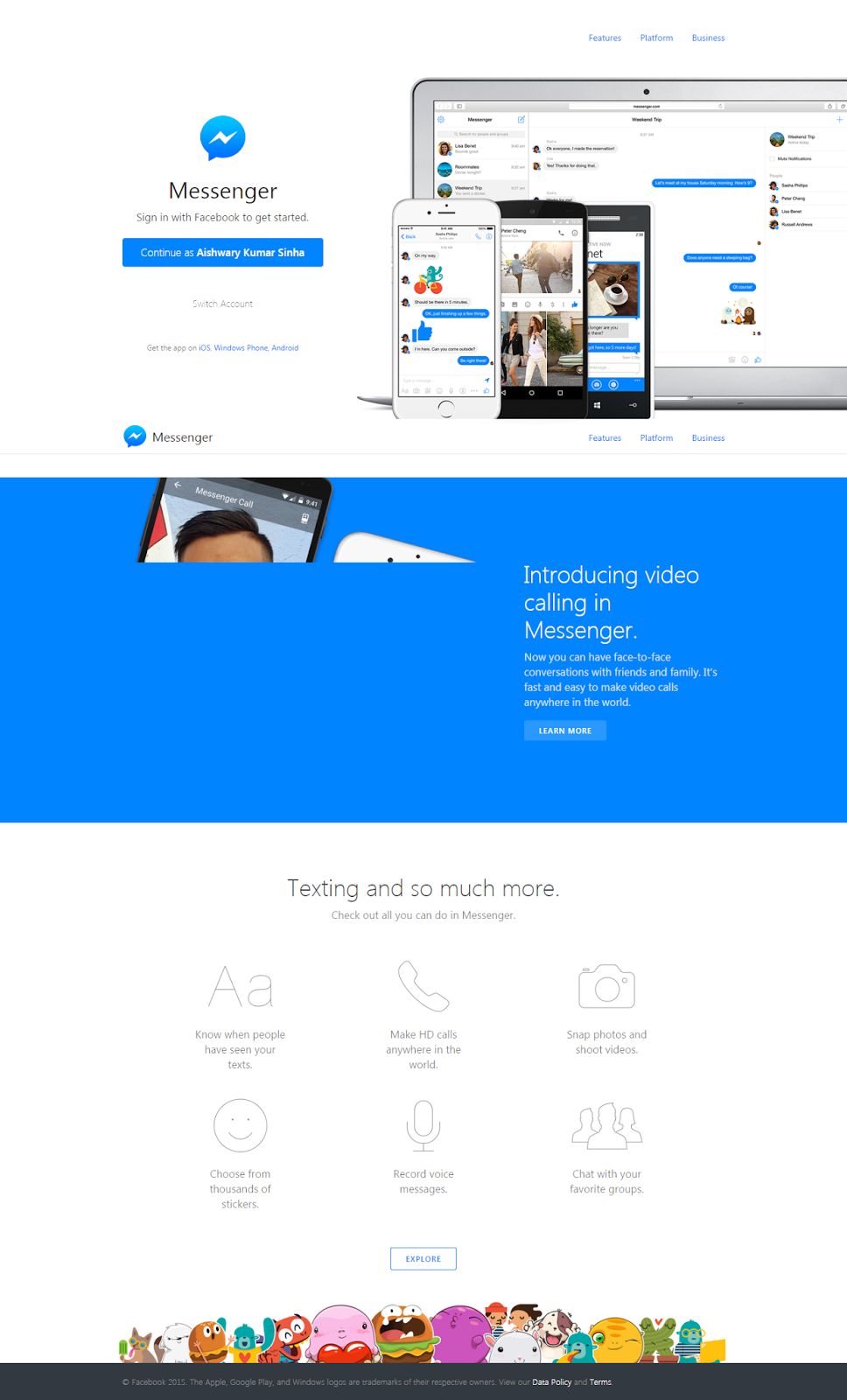
Hidden features of Facebook Messenger.

On every New Year’s Eve everyone got a chance to celebrate and similarly Facebook got chance to celebrate its new year’s eve with 80 crore active users. Messenger is very popular because it gives access to contact those friends which are only available on internet. It is a clean method to find and interact with them. So if you want to surprise those friends, then you have to learn about these hidden tricks. With the help of Messenger you can chat with your old and new friends with an ease and an interesting way. A great sum of people around the globe uses Facebook on their smart phone, whether it is an Android or IOS based. On the newest version of the app you have to download Facebook Messenger to read your messages send by your friend or to send them back a reply. So not taking your precious time I give you some hidden feature present on Facebook Messenger.


Use GIF emojies and how to download them.

To make our conversation with some more interesting Facebook already launched GIF imaging but now we can add GIF images as emojies. To add GIF emojies you can select it from the stickers or make you own ones with BITMOJI which allow us to make our own GIF emojies. Our messenger also support giphy that provide the facility to make our own GIF videos and share them to a particular person we are chatting with.

Make your own Doodle

Just click on three vertical dots on lower side of your messenger and their you can find Doodle option there. When you tap on that option, an application will download and get linked with your messenger, now you are ready to make your doodles by sketching it. We can also send collage by using Photo Grid.


Messenger Web is another option  

Unlike web version of WhatsApp, we can use messenger on our desktop. To download Messenger you have to visit www.messenger.com, after you visit the given site you can login by your e-mail address and phone number both.


Use Facebook Lite.

It is a very useful app which allow us to get most of the Facebook services on our smart phone with very less amount memory and ram space taken by application, if you are not aware about how much you recent Facebook app is taking space of your smart phone then check that now and I am sure you will be surprised that a large amount of data and ram size is occupied which can be used for other useful applications.

You can download all the apps for your messenger either by Google Playstore (for android) or by Apple Appstore (for IOS).
follow me on Google+TwitterFacebook, and Instagram by clicking on it.  


Sunday, March 9, 2014

How to Remove yourself from the Internet

Hello friend some times we all want to be alone and want to disconnect from the world and if you are on internet then specially. If you think you or your business is in danger or you don't want to highlight yourself then you have to take some hard steps.And there is a method to become unknown on internet. Just see the steps :-


1. Remove all social media profiles.
You only just need to remove all the social media profiles (like Facebook, linked-in, twitter, Google+ and more....) which shares your information which you don't want to share. you to shut them down.

2. Search yourself on Google.
If search on Google you can easily find yourself everywhere you have visited and then try to remove your self from there also.

3.Remove from the site.
If you were running a site then don't forget to remove yourself from there but there are many site which will not allow you to remove like blogger and more..... so be careful about them. 

4. Clean Browsing. 
Remove all history and passwords from your browser in other word clean your browser.
It will really help you to removing you from the internet because it the main medium to connect you to the world wide web.

5.Double check.
Now double check yourself on Google and if any result shows in your favour then try to remove them. But i think you will be removed from the internet after using the above steps only.

Thanks you for reading and If you any query or problem then don't worry we will help you. And don't forget to like, share and comment before vanishing yourself from the internet.

Wednesday, February 26, 2014

Whatsapp Update


Hello smart phone user all over the globe, today we all know what is Facebook, and what is whatsapp.

But those who are beginners in this awesome tech world whatsapp is a messaging app in androids, iPhone, Nokia, and window 8 phones by which you can easily send messages for free. 

We  all know that in past days Facebook an leading social networking website purchased whatsapp in 19 billion $ and this deal is the second most expensive deal in the tech-world after Hp purchased Compaq.

So the main story is for around two-three days we were unable to whatsapp after the deal. I know why? because Facebook was going to add an awesome feature in it, that feature is you can now hide last seen from those who you not want  to show.

But there is some problemo here guy this feature is only available to the IOS users and only in USA till now so wait for the update for your country and then have fun with it.


Till then don't forget to like comment and share this on Facebook and twitter with your friends. 

Thursday, February 20, 2014

Facebook : Mark Zuckerberg thanking us.


Hello Facebook user(gamers, bloggers and readers) today when i was just going thought my Facebook news feed see what i got guys a video in which the Famous Founder of Facebook is thanking us for been a part of  an awesome site Facebook , I think I don't want to write much and let you watch this video which tells the whole story.


If you like this video don't forget to share it with your Facebook friend.

Sunday, February 9, 2014

How to Use Facebook Lookback to Create Facebook Timeline Movie


You must be well aware of the Timeline profile that Facebook announced at the f8 developers meet last year. If you aren’t, the Facebook Timeline is basically a beautiful and colorful representation of your life and time spent on Facebook. During the launch, Facebook enticed the crowd with a Facebook Timeline movie made of a certain users profile. However, not many were stoked with the idea of having their whole life, i.e, photos, status updates, friendships, wall post, videos and everything else posted on a single page and open to all your friends.
And many are going to be furious once they will be forced to change to the new Timeline profile and let go of the old look. Yes, Facebook is doing that. Slowly, but it’s happening and there’ve been a lot of negative reaction to it. But, the social networking giant knows that people will still come to the site and gradually start liking the new profile design.

The Facebook Timeline Movie : Lookback

Facebook is celebrating 10 year birthday celebration with a new feature call Lookback. This will let you create a beautiful timeline movie of your Facebook profile which you can share with your friends or with everyone on Facebook. The best thing is, loopback feature can be use on your smartphone or on your web-browser. Unlike last year timeline movie maker, loopback is just one click thing and you movie will be live.
To use this feature, simply go to this link and make your Facebook movie. If you want to see movies created by everyone else, simply search for Hashtag Facebookis10 or use this link to browse the hashtag.
Here is movie which I created using FB Lookback feature:
Everyone wants to star in a movie, that is related to their lives, we all want to show the world how our life is. Same is the concept with the Fb Timeline movies. A movie developed using all the events, pictures and things posted on your new Timeline profile is simply called the Facebook Timeline Movie.
That’s all you have to do to make your very own Facebook Timeline Movie. Now you can share your story with your friends. Currently, you can only share the video on Facebook. Also, it will recherish your memories once again in the form of video.
If you are on Facebook and have not tried Fb lookback movie, you should go ahead and make a video and let us know how it turns out to be? Don’t forget to share this post on Facebook.

Tuesday, February 4, 2014

Facebook’s Paper App is now available [on iOS Only, in USA Only]


Hello gamers and bloggers Facebook’s Paper app that’s half “distraction free” News-Reader, half Ad-free Facebook News Feed, is now available to download.


But only on iPhone, and only in the USA. The description goes:
Explore and share stories from friends—and the world—in immersive designs and fullscreen, distraction-free layouts. Paper includes your Facebook News Feed and sections about your favorite topics.
· Browse stories from your Facebook News Feed in beautiful new layouts.
· Customize your Paper with sections about your favorite themes and interests.
· Unfold beautifully designed article covers for news and stories from trusted sources.
· Tilt the screen to explore vivid high-resolution photos and see details up close.
· Watch fullscreen videos that come to life and fill the screen.
· Use simple, natural movements to thumb through Paper uninterrupted.
· Craft your own stories and see exactly what your posts will look like before you share them.
Watch the video it tells all.

Share this to all Facebook users.

Monday, February 3, 2014

Get Ready To Say Happy BirthDay FACEBOOK


Hello gamers and blogger, Facebook reminded your friends Birthday many times. Tomorrow (4th February) Facebook is going to be 10 year old.Now you got your chance to say happy birthday Facebook. Now lets know how much we get closed in 10 year of Facebook.

1.2 Arab people from all over the world are connect to Facebook.
In Those 24.5 crore people are from India. 

It all started on 4 February 2004 at harward  University. A student of Harward University 
  • Mark Zuckerberg, made this site and some other friends Eduardo Saverin, Andrew McCollum, Dustin Moskovitz, Chris Hughes helped him. On starting this site is only for the Harward University Students.

  • In May 2005 facebook get 82 crore get as a investment.

And after that on these dates these feature is added on facebook which we use daily.
 
  • Photo Feature : 2005 October
  • Tag feature : December 2005
  • News Feature : 6 september 2006
  • Facebook Notes : 22 August 2006
  • Messaging : 15 January 2010
  • Like : 21 April 2010
  • Community Page : 2010
  • Voice call : April 2011  
  • Video calling : 14 September 2011
  • Following : 14 September 2011
  • Graph search : 15 January 2013


I hope you have done all the things in Facebook if you don't 

comment and don't forget to follow, like and share this post.

  •   


Thursday, January 30, 2014

Top 5 New Resleased Apps for free download


Hello android users. We want to be updated with time then why shouldn't our smart phones. Then for those smart phone users who really want there devices up to date for free then download these apps for free from the the list.

1. Photo Funia
Click here to download free.


Description
PhotoFunia is a easy and fun way to enhance your personal photos. It makes your photos magic with easy and powerful editing tools. In only a few seconds an amazing photo collage is ready, absolutely funny. Lots of filters and effects, easy to use, share via Facebook, Twitter and many more.
Would you like to see your portrait on the walls of Louvre or Hermitage museums? Would you like to see your picture on the cover of a magazine or on advertising billboards of Times Square? Perhaps you're just looking for a nice frame for your photos on a special occasion?
What are you waiting for? Download it......

2. Temple Mystery Run 2


* Well-designed and each level has unique challenges and fun puzzles!
* Very easy to play and user friendly interface
* The more blocks you clear, the more bonuses you will get.
* Fresh and beautiful style, bright and vibrant graphics & photo!
* There is no time limit, but each stage has target points to proceed to next stage.
* It is a 100 levels of brick game.

3. Cricket 2014


This the game for the cricket and Android games lover. this a fun thing it really an awesome game.

4.Facebook WhatsApp Messenger.


We all use the whatsapp for messeging friends and this the best upgrade for the whats app facebook and messeging for free, it awesome.

5. Songs.PK


I hope that this will really help you to update and you smart phone. And do you know that if you are up to date you can show off in your friend circle.Don't forget to like,share and comment.

Wednesday, January 22, 2014

Facebook to show fewer text posts from Pages

Facebook CEO Mark Zuckerberg

Facebook said Tuesday that it is once again fudging with the formula behind News Feed. This time around, the social network warned Page owners that it would show their text-only status updates to a smaller number of their followers.
"Page admins can expect a decrease in the distribution of their text status updates, but they may see some increases in engagement and distribution for other story types," News Feed Ranking Product Manager Chris Turitzin wrote in an announcement on the change.
The company said that the News Feed alteration is meant to match members' actions and preferences. People respond differently to updates from Pages than they do updates from friends, Facebook said. A person is apparently more likely to write more status updates when they see more text updates from friends, but the same doesn't hold true for text updates from Pages.
The change is bound to be a controversial one with Page administrators, many of whom already feel slighted by the social network's algorithm for picking and choosing who gets to see their updates and when.
The latest News Feed adjustment follows a number of other so-called improvements. Most recently, Facebook adjusted the ranking formula to deliver more news and fewer memes.

Tuesday, August 20, 2013

How to Take Control Of What Updates You See on Facebook

One of the biggest problem with most of social networking site is information overloading. For example, if you have 1000 friends on Facebook, it’s impossible for you to follow all the updates from your friends, and you miss out many important updates at time. Facebook addresses this issue with their Facebook algorithm, which determines what updates should be visible on your Facebook news feed. No matter what, by the end this is only a machine language, and you can’t expect it to be 100% perfect.  You are most likely to miss important updates from many friends, that you don’t want to miss. In this article, I will share some tips which you can use on your Facebook profile, to ensure that you don’t miss out important updates, and also it will help you to handle information overload to an extent.

How to take back control of your Facebook News feed:

If you interested to know how Facebook determine what updates you should see on your Facebook newsfeed, this article will give you great insight. Now, lets start taking control of our Facebook profile:
Hide news from news feed:
Lets start with minimising the updates we see. On Facebook, we are friends with just because of the social obligations. For example, your distant cousin, or your friend’s friend that you met at party. Most of the time, we are not interested to see all updates from them, and a good idea is to stop seeing updates from them. This will give more room for updates from friends, that we are more interested in. Simply go to person profile, and hover your mouse on friends, and uncheck option which says “Show in News feed”. After this, you will not see any update from the particular person on your news feed.
hide news from news feed
Use Friend Facebook organizer:
Facebook friend organizer is a useful tool by Facebook to quickly manage your friend list. This tool uses your past interaction to suggest you to put friends in Acquaintance list. If you wondering what is Acquaintance list, here is what happens, when you add a friend in your Fb acquaintance list: “This list is for friends you don’t need to stay in close touch with. People on your acquaintances list will rarely show up in your News Feed.”
Facebook friend organizer
Use Get notifications:
This is another interesting feature from Facebook, which will ensure that you never miss out an update from your friend or Fan page you liked. When you enable get notifications for any of your Facebook friends or Pages that you liked, you will get notification, as soon as your friend or page make a new post. To use this feature, simply go to your Friend profile, and under Friends, select option which says get notifications.
Get notifications
Another way to use this feature in mass is by using Facebook list feature. Create a list of important updates, and enable notification feature for that particular list.
Facebook list notifications
Engage with like, comment or share:
As I mentioned above, Facebook uses the algorithm to determine what appears on your news feed. So, if you want to see more updates from particular friends, or pages that you liked, always engage with the content shared by them. You can engage by commenting, liking or reshare their content.
Facebook interest list:
I’m unsure about this particular tip, but when ever I have browsed an interest list, it always shows updates in chronological order. This is more like creating a custom Facebook news feed, based on your interest. You can add your friends, pages, or public figure that you like. And instead of using default Facebook news feed, you might like to spend more time on your interest list. You can find complete detail about Facebook interest list over here.

Conclusion:

In short and simple words:
  • Filter out the updates from people and pages that you don’t want to see.
  • Engage more with content that you would like to see on your wall.
  • Use List or notifications feature, when you don’t want to miss out an update from particular person or brand pages.
Facebook is giving their best effort to ensure you (users) see only those updates, that you might be interested in. But, at the same time, it’s a good idea to make changes at your end, so that you don’t miss out any important updates, and see more of what you like to see.
If you use any other trick to manage your Facebook newsfeed, do let me know via comments. Don’t forget to like and share this article on Facebook.

Friday, March 29, 2013

Facebook "new home" for android

Facebook sends out invites to its
We've been noting recently, that other than trying to find a way around the Google Play Store, Facebook hasn't been doing a whole lot to update its Androidapp. The iOS side of things has gotten voice calling slowly rolling out to more and more Facebook users, but Android has started to fall behind. Now, Facebook has sent out invites for an April 4th event in which it plans to show off its "new home on Android", and of course the rumor mill has already started running overtime to figure out what that might mean.

There are thoughts that it could be another attempt at a Facebook phone, although the first attempt with the HTC ChaCha really just had a dedicated Facebook button, it wasn't really a "Facebook phone". 9to5Google is pretty convinced that Facebook and HTC are working together again on a major ad campaign "designed to focus on the potential user of the device, not on the hardware or software."

It also could be some news about Facebook's plans around its new move to push updates outside of theGoogle Play Store. Or something completely different. We'll have to wait and see. 

What do you guys think Facebook's "new home on Android" will be?
All facebook and android ussers are really hoping that theier hope will be full-filled withnthis new update. And don't forget to comment and share and like our site :)