Showing posts with label site. Show all posts

Sunday, February 28, 2016

Make your “G-mailing” easier and efficient.

In today’s world if we don’t have an e-mail account then we can’t survive in this internet world. Whether it is movie ticket booking or knowing your bank balance, even if you want to be on Facebook you must have an e-mail Identity. Best in e-mail providing services Google is number one. Google’s G-mail is the far most liked e-mailing service all over the globe. In past years most people use yahoo mail and AOL mail, they were very well known e-mail service provider but now G-mail has taken all over this part of internet. And there is a very promising reason; they were the first who introduced the safest way to secure your e-mail account by using two step verification (which is very handy when it comes to those people who access their e-mail account in variant places). Then we have different tabs option which allows us to differentiate between important and less important e-mails. Unlike every service which is provided on internet we don’t use the hidden or unknown features which can help us to use that service very efficiently and make things easier. But as friends I always help you to find those things and test them whether they are worth it or not and then share it with you all my precious readers.

How to listen your mails?

I know most of the people were thinking when they saw that IPhone 6s ad, in which a person was eating a sandwich and asked Siri to read his emails and reply them without touching its phone, Yes you can do that too but before you can that too, you have to read this very carefully. First you have to go to User “LABS” then you just have to enable “Google Voice player in mail” feature and you are done now you can listen your mail instead of reading them. I know, it is so simple.

How to change the side of chat box?


 If you are bored of that old left side chat box, when you open your G-mail you found your chat box just right there where it was last time. Then I have a solution for you. Now you can change the side of your chat box to right (Yeay). Now you just have to go to that old place named “LABS” from there you can choose “Right-Side chat” option to move that chat box to right side. Now you can also see your Conversation list when you are mailing someone by using “LABS” and enabling Preview pane option. If you are tiered of some website which always sends you mail but you don’t want to receive them; then you just have to find “Unsubscribe” on that same mail and just click on it and now you will not receive those mails again.

How to reply with templates?


If you have to send the same mail to different people at one time then you can type there name and it will be send to all of them, but if you have to send an reply every day but you don’t want to write that reply then you can select one of the default reply templates. To use this facility you just have to pay nothing and go to our favorite place “LABS” then use “Canned Responses” feature. Now when you type your reply don’t forget to check that “Canned Response” features we enabled.

I hope these things will make your “G-mail” experience more fun and easy. Try to share this article with your friends and family. Let them know how cool you are? And don’t forget to like this website on Facebook. And you can follow me on Google+, Twitter, Facebook, and Instagram by clicking on it. And Like our Facebook Page to show your love.


Tuesday, January 19, 2016

Famous Social Websites other than Facebook

“No one can be number one forever” said by a great man, person who said these words are less important than the meaning of the words. These words are acceptable in every field of work not just sports but every part of the life includes social media website. Yes I am talking about the title of this post before Facebook there were many other social websites which were very famous among the users. Most of them are available but some of them are not among us. To tell you about those famous social media websites, top five are chosen by popularity.

1 Orkut

On 24 January 2004 google launched a Social website called Orkut. Orkut was very famous in Brazil and India. In year 2008 Orkut got very large amount of user as compare to its competitors. The famous feature provided by Orkut was “Scrapbook”. With this feature users can share their emotions on their friends Orkut page. This was not the feature which attracted a large number of users, but also scrapbook feature user can share picture, videos, songs and gif images using html codes. Even with these features Orkut cannot survived for long time. Orkut was officially closed on 30 September 2014.

If you want any data provided on Orkut by you, you can retrieve that data by using takeout.google.com/setting/takeout/custom/ourkut

I hope you will find some great memories in that data.

2 Google+

After closing the Orkut, google was not over with the social website thing. Google launched Google+, at first it was only for the Staff of the Google Corp. But eventually they opened the gates of their new website Google+ for users all of over the globe. June 2011 google+ in came to existence. Now there are 41 Crore users using this social website. They also changed looks of the website many times. Latest look  is pretty amazing, to compete with Facebook’s like button they launched +1 button, by which you can show your appreciation regarding that post.

3 Myspace

August 2003 this the year and month in which Myspace was launched and Myspace is still operational. But the figures say that number of users is less as compare to the golden days of this site. Till 19 April 2008 Myspace was famous than Facebook with more than 7.6 Crore users, even for the celebrities this website was best option to interact with their fans. Now Myspace almost have 5 crore users active. Unlike other tech companies it also didn’t changed according to time and that became the main point for its downfall.

4 Connect-U

Connect U was launched in May 2004. It was developed by Camroon and Tailor Winklevoss of Harvard University. These two were the class mate of Mark Zuckerberg. Firstly Mark was going to help them to make this website but then he changed his mind and get busy on the new project and that project is now popular with the name Facebook. This website had almost same features as Facebook like groups, chatting and etc. Those two was also had a legal session with Mark. Unfortunately they had to shut down the website in year 2013. But Connect U was also very famous in its starting days.

5 Hi 5

In 2003 Hi 5 knocked the doors of social media websites and became very popular. In 2007 it was ranked second most popular social media website, but in 2008 it was defeated by Facebook. It was mainly popular for photo sharing with friends. They also introduced the gaming feature which allows users to play games with friends. It gets 10,000 ranking according to Alexa. It has one more amazing features by which you can make new friends called “Meet me”. If you want visit this website then you can because it is still operational.

Now you all will think that Facebook is most famous social website around the globe, but no there are several countries where facebook is ban, and in Russia VK.com is much more popular then facebook even they can access facebook.  

follow me on Google+, Twitter, Facebook, and Instagram by clicking on it. 

Sunday, October 11, 2015

Top 5 shopping websites in india

I know we all love shopping, because it feels good when new things get in our life whether a girlfriend, smartphone, laptop or clothes. All new things make us happy. Many people devote there most of the time to understand all the features (I thing you can understand what i mean here).
So as per this website, it belongs to Indian owner that's me. So i will tell you what's going on in Indian market for shopping. There are slightly less then half population of India purchase goods online, and more the half population check the price on internet and sometime buys it.
That's why these website exist and according to me these are the top 5 website popular these days for shopping. Now lets have a look on these beautiful websites.

!. Flipkart.com
Flipkart is a Indian based website. It is developed by Two Indian partners named Sachin Bansal and Binny Bansal. And this is found in 2007. But that's all in past and we all must tend to the future. The greatest thing achieved by flipkart except billion consumes is a event which changed the world thinking about shopping. Early this year (2015) flipkart started a trend called "The Big Billion Days". And it also helped Motorola to get back in Indian market.
Flipkart says "In big billion day you can purchase good quality product in very low price". That's all we, want don't we? I think it went pretty well because they are back with a bang and it starts tomorrow. I wish all the consumer good luck for tomorrow's sale.

NOTE :- The Big billion days sale is probably applicable for the app user.


2.Amazon.in


Yes, it is an extension of the world famous renowned website amazon.com. When flipkart and other showed the potential of the Incredible Indian Market. This website is designed with a mindset of Indian market and for Indian costumers. This website contain almost everything we can found on our ground level markets to mall level stores. Unlike flipkart, amazon also started a variety of sale for different type of festivals. The "TRY Sale" is starting from 13-10-2015 (That's tomorrow). Don't forget to check the deals also.
    
That NOTE is also applicable for this sale.


3.Snapdeal.com


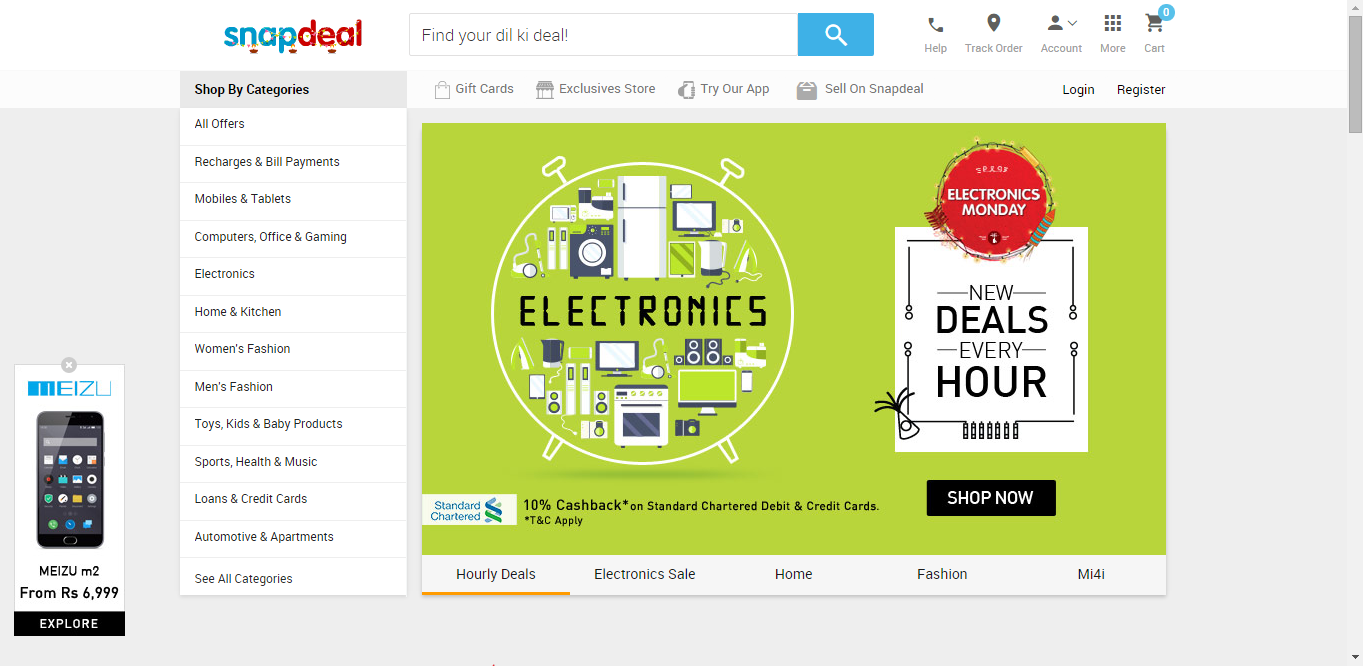
I know we live in a competitive world, competition is everywhere so why not with these website. So here is a challenger called Snapdeal a well growing shopping company. Sanpdeal was founded by Kunal Bahl in year 2010. These websites are a very convenient and a great way to sell variety of products. Today is a sale about electronics is going on right now and it will be over today. It is a part of a sale "Pre-Diwali sale". Don't forget to purchase what you like alt very reasonable price.
 A glimpse of this website is...


4.Homeshop18.com


It a produced by the famous Homeshop18 group of Network 18. Homeshop18 also have a channel which describes various products like smartphones, cooking appliances, beauty products e.t.c. The channel is running before website. The main website was launched in year 2011.It contain all the products shown on the channel and extra products with reasonable price. The best part of this website is it can be a great platform for those inventors and products which are new in the market or just want to become a great success. This website contains video tutorial about the product you choose with there specification. If you are a person who want to try new products then try this website also.


5.Shopclues.com


The slogan that shopclues use is"Ding se le kar Dong aur ting se le kar tong everything is on shopeclues.com. It is a great website if you like to purchase products in wholesale rate.Now they are thanking all the consumers for there love and support. They call it "Diwali se pehle dhamaka". That you can purchase not only appliances but clothes and beauty products.


These are the top 5 Shopping Websites in India. The order is given by me it can be different in your opinion so please share your opinion in comment box down below. And enjoy your festival with these shopping sites.

Before you go for shopping please like our facebook page, it's right side of the page.Or you can follow me on isntagram/aishwarykumarsinha , facebook.com/gamerever, google+/Aishwarykumarsinha.

Thursday, September 5, 2013

Best Tekken Sites.

Hello Tekkeners in my last post i told you about the top 5 sites of tekken but there are also many other sites which can tell you more about tekken  and the gameplay of the tekken series. So I give you the know other tekken sites.

1. levelup-series.


Thank you guy to giving us these wonderfull sites and knowledge about this game.
Don't forget to like,share and comment. :)


Thursday, May 9, 2013

10 Tips For Writing An Outstanding Guest Post


Guest blogging is the act of writing an article for another blog as a guest author for the purpose of building relationship, quality backlinks and traffic. The benefits of guest blogging goes beyond traffic. Other benefits include:
1. More exposure for your site
2. More fans and followers on the social media
3. Higher page rank and domain name authority
4. Better income
5. Increased subscriber
6. Building your brand
The big question now is “How do I write a guest post that is unique and stands out from the crowd”?. The following tips has been written to guide you in writing an outstanding guest post that will be of help to your readers.

Tips for becoming an Outstanding Guest poster

Answer Questions :
A lot of your readers have questions they want answered. This is a very great way to provide content that will be read by many. Articles that answer questions also generate a lot of comments from readers.
How to find questions to answer
  • Comment section of top blogs: When you go through the comment section of popular articles in the top blog of your niche, you will discover that the readers often have questions which they would like answered . This is a great way to find idea for guest post that will be engaging. All you have to do is to take down the questions and search Google for the answers.
  • Yahoo Answer: Yahoo answer is another great platform you can use to find questions. Get familiar with the platform and narrow down your search to your niche and you will be amazed to find a lot of questions there. Google those questions and you will have answers that will give you idea of what to write in your next guest post.
  • Quora: I like quora discussions more than Yahoo or other Q&A platform, because of the quality. Here you will find interesting questions, along with intellectual answers.
Write a controversial post:
Articles that cover controversial topics or topics that generate debate often attracts attention from readers. For example, debating articles like “Facebook or Orkut: Vote Your Favorite Social Networking Site“. This type of post will definitely draw attention because even though both platforms can be used to generate traffic, but the method differs and the result also varies.
A Catchy Headline:
Your headline will also determine if your guest post will be read or not. An interesting headline will stand out on your publisher’s blog and receive good views from readers. Such articles can also easily go viral if shared on social media platforms like Facebook and Twitter.
Share Your Article on Social Networking Sites:
Sharing your articles on Facebook and Twitter is another approach to making your guest post stand out. The number of Facebook likes and Tweets an article receives often determine its level of popularity. This also increases the number of comments the post generates both on the publisher blog and the social media platforms.
Article length:
The length of your guest post is likewise important. A well researched 800+ word guest post tend to stand out more. That does not mean that articles with lesser amount of words will not get attention. When your article is loaded with good points and engaging, it calls for attention. Such articles easily get good search engine ranking too.
An Attractive Image:
According to the popular cliché “a picture speaks more than a thousand words”. That is equally true in relation to writing an outstanding guest post. A clear relevant picture will go a long way to give life to your article. The picture interprets what you are saying and gives credibility to your assertion. Images get a lot of attention on social networking sites and could easily go viral. This is another means of traffic for you.
Relevant Case Study:
A relevant case study is another important element that could spice up your guest post. When giving your case study, provide link to the relevant references. Read an example how a site with no content got Google Page Rank 3 here
Search Engine Optimization:
The amount of search engine traffic your article will enjoy depends on the level of the level of your SEO effort. Getting your guest post search engine optimized is the answer. This guarantees free traffic from the search engine.
  • How to write SEO friendly post title for more traffic
  • How to write perfect SEO optimized articles in WordPress
Proofread Your Guest Post:
Before submitting your article to the publisher, spend some time to proof read what you have written. Check for grammatical errors and correct them. Make sure the links in your article are pointing to the relevant site. Also make sure the pictures are well placed.
  • Learn how to better proofread an article
Encourage Your Readers To Leave Comments:
A quality guest post will automatically receive comments.  However, there are times when the comments are not forth coming. This can be discouraging. In order to encourage your readers to make comments on your guest post, you can follow these tips:
  • End your guest post on an interesting note: One way of doing this is to end the article in a way that inspires your audience
  • Encourage your readers to share your guest post on the social networking sites
  • Timely response to comments by your readers: Imagine responding to a question in the comment section of your guest post a week after your reader posts the question. That is way too long. A timely response will leave your readers with a good impression about you. Remember, one of the benefits of guest posting is to build relationship and networking
Following these steps will make your guest post outstanding thereby giving you more traffic and exposure in your niche. Feel free to share your contributions in the comment section

Tuesday, April 16, 2013

The best Windows 8 gaming laptops


Hello gamers and blogger today laptop is an essential part of our life that's why we brought some latest and tough laptop series for gaming. i think that these laptops are also suitable for the bloggers also. So have a look on them..
We recently complained about the lack of a single best-case gaming laptop for the Windows 8 era. That was largely because of the handful of portable PCs with higher-end graphics cards we'd reviewed in the six months since Microsoft's new OS took over, none thought to include a touch-screen display. That's a feature not particularly called for in even current-gen PC games, but it's one that Windows 8 practically begs for during the hours when you're not using your laptop for gaming.
Since then, we've finished reviews of a couple more gaming laptops -- again with high-end GPUs but no touch screens -- as well as the Razer Edge, a unique Window 8 tablet/hybrid that offers both modest gaming chops and hardware specifically built around Windows 8.
Even though we're still waiting for a true no-compromise Windows 8 gaming system, many of the high-end laptops and tablets we've tested are still great for games, from the premium performance in the Qosmio X875 to the very reasonably priced Lenovo IdeaPad Y500.

Toshiba Qosmio X875 
One of the only 17-inch gaming laptops with a hybrid hard drive, the massive Toshiba Qosmio X875 already stands out from the slim ultrabooks and convertibles we've seen, but it lacks a touch screen. Oddly, our model included 3D glasses, but you can skip that and save a few dollars.

Razer Edge 
The Razer Edge is a 10-inch Windows 8 tablet with either a Core i5 or i7 processor, and what it brings to the table are gaming-caliber Nvidia GeForce graphics, and a variety of optional versatile gamer-targeted accessories: a snap-on GamePad Controller, a dock with HDMI-out and extra USB ports for TV connectivity, and even a future laptop/keyboard accessory.

Lenovo IdeaPad Y500
The current version of the Lenovo IdeaPad Y500 is a laptop that's hard not to like. A chunky, 15-inch Windows 8 machine with some real gaming muscle, sharp design, and a funky red-on-black backlit keyboard -- if it only had a touch screen for a frustration-free Windows 8 experience, this might be my favorite laptop of 2013 to date.

Origin PC EON17-SLX 
No one puts together custom high-end gaming laptops, including this desktop-busting 17-inch EON17-SLX, better than Origin PC, but the generic-looking off-the-shelf body isn't becoming of a $4,000 laptop, and Windows 8 feels odd without a touch screen.

Sony Vaio E17 
If you want a reasonably priced desktop-replacement big-screen laptop with AMD graphics, the Vaio E17 is worth a look. But it's not a good Windows 8 showcase machine, as it lacks any touch interface other than a small touch pad.

Friday, March 29, 2013

The Fututre of Gaming


The annual Game Developers Conference, which attracts tens of thousands from the gaming industry, had all of the usual players this year: Nintendo, Sony, EA, Activision, etc. But they weren't the only players in town this week at GDC.
There was plenty of buzz about Ouya, the new $99, Android-based gaming console that broke Kickstarter records like Adrian Peterson breaks tackles.
Now, before the serious gamers out there savage me, let me be clear: The Ouya isn't going to be displacing the role of traditional consoles like the PlayStation or the Wii (although the Wii U has gone nowhere). But I do think the Ouya is indicative of an important trend in gaming: appification.
Appification is the process in which everything in a given vertical moves to, well, apps. It's happening to the Web and it's happening to gaming, thanks to the wild success of the iOS and Android app stores.
Apps are cheaper than games on discs. Apps offer instant gratification -- there's no need to drive to GameStop. And apps are accessible to the millions of casual gamers that are simply looking for something to occupy their time on the bus.
The Ouya is just the newest example of this trend. It has opened up console gaming development to millions of developers on the cheap. It doesn't require millions of dollars to make an entertaining console game anymore. And while you won't be seeing Bioshock on the Ouya anytime soon, I suspect the major console makers will be taking a few cues from its Android-based competitor. How long will it really be until we completely abandon discs?
I'm a gamer -- I grew up with Final Fantasy, SMRPG, and Metal Gear Solid -- so console games are near and dear to my heart. But I truly believe that the era of $400 consoles is over, and the era of the $99 console is just beginning. The Steam Box, Nvidia's Shield, Wikipad, and the Gamestick are all on their way. And if you think Apple won't add third-party apps to the Apple TV, then you're simply delusional.
Metal Gear Solid isn't going out of style. But don't be surprised if more and more "hardcore" games start getting appified, especially as Internet speeds improve and flash drives increase in size. And don't be surprised to see the selection of games on consoles grow vastly as developers take advantage of open platforms.

How to Create Free jQuery Image Slider for A Website


An image worth thousand words, yes.. you can express the message of thousand words in a single image, and for the same reason we used to see sliders in most of the modern websites. Web slider is nothing but an image container which rotates the images at the specified interval. Slider makes the website look professional and at the same time introduces all the products and services that website offers. More over, when you are using image sliders on a static business sites, you make the design look more attractive.
For sliders, we have so many options, like we can use flash based sliders, or jQuery based sliders, and today I will be talking about EasyRotator, using it you can create jQuery image slider with almost 0 coding knowledge. Before that:

Flash Slider vs jQuery image slider


flash vs jquery slider
Usually web developers prefer to use jQuery image slider in the websites as they load faster compared to flash slider and of course jQuery image slider does not rely on plugins that means the end user need not install any player or plugin to see the sliding images done with jQuery. So if you are searching for a free jQuery image slider creator then you should keep on reading to know more about it.
  • Ongoing discussion: Does using Image sliders reduce conversions on a WordPress blog

How to create jQuery image slider without any coding knowledge?

Creating the jQuery image slider takes much of your time as you need to write lengthy codes but here is a software that can help you create professional jQuery slider in minutes for free. EasyRotator is an Adobe AIR application to create SEO friendly jQuery image slider which is supported in all major browsers and gadgets including smartphones and tablets.  It comes up with more than 45 responsive slider templates so you can create stunning image sliders within minutes without any prior coding experience.
EasyRotator comes up in 3 different modules including a WordPress plugin, windows and mac application and a Dreamweaver extension. Here is a step-by-step tutorial on how to create beautiful jQuery image slider with EasyRotator windows application-
  1. Download EasyRotator and install it
  2. Once installed you get a shortcut on your desktop, open the same
  3. You will be asked for the HTML page and website root folder to embed the slide, specify both fields and click “Continue”
    easyrotator start
  4. Now click on “Insert new rotator” then specify rotator name and dimension including height and width
  5. Now click on “Add photos” button and include all the images you wish to add in the slider
  6. Specify title and description for all the added images
    easyrotator adding image
  7. Now click on “General settings” and then on “Autoplay”, choose “Yes” for autoplay enabled option and set the timing below.
    Slider autoplay setting
  8. Once done click on “Preview” to have a look at your image slider, finally click on “Save and Exit” to embed the created jQuery slider in the selected HTML page.

Conclusion

You just learnt to create an attractive jquery image slider in less than five minutes and below is the preview of the same which is created using EasyRotator.
jquery slider example
I hope you like it but don't forgot to share and  like it. 

Tuesday, March 26, 2013

Sony Xperia Z vs. HTC Butterfly


Introduction

Flagships have evolved significantly during the past year, and in screen terms in particular, what once looked like overkill has become the gold standard for both size and resolution. HTC was the first of the major manufacturers to set the bar high with a fullHD five-incher, and saw the competition scrambling to respond. The Sony Xperia Z wasn't too late to follow, and turned some heads with its sharp design, coupling professional elegance with great performance.
While the HTC Butterfly is no longer in charge of the HTC Android lineup (that honor belongs to the just-announced HTC One), it still is an impressive device in its own right. It debuted back in October as J Butterfly for Japan and visited the US in November as the DROID DNA.
The Butterfly/DNA's spell alone at the top wasn't long enough to make a huge difference, financially. That's largely down to its limited availability too. Even now, the HTC Butterfly is hard to come by in many markets, which is the exact opposite of what Sony's doing with the Z.
So, the Xperia Z is an all-round flagship, while the HTC Butterfly has just slipped down the pecking order. One is readily available and enjoying high demand, the other is a regional version that some markets just won't get. But we don't care which one's better at making money. We've got some quad-core Kraits to benchmark, screens to compare, and batteries to test. So, who's up for a ride?
As usual, let's start by taking a look at what advantages each device has over the other.

Sony Xperia Z over HTC Butterfly

  • IP57 dust and water protection
  • Higher-capacity battery
  • Higher-resolution camera sensor with better image quality
  • Wider market availability

HTC Butterfly over Sony Xperia Z

  • Curved screen for better usability
  • Display has superior contrast and viewing angles
  • Can shoot 6MP stills while recording video
  • Beats audio amplifier
In terms of sheer specs, the two devices are very similar. In addition to the same screen size and resolution, both phones are powered by a quad-core 1.5 GHz Krait CPU running on the Qualcomm APQ8064 chipset, alongside Adreno 320 graphics. All of the connectivity features are doubled between the two devices, and with the exception of the higher-res camera sensor and battery on the Xperia Z, so is everything else - all the way down to the Android release.
   
HTC Butterfly and Sony Xperia Z live images
In the coming chapters we'll break down how each device performs and where one has an advantage over the other, in areas such as camera performance, sound quality, and benchmarks. But first, let's take a closer look at the exterior.

Hardware overview

From a purely design standpoint the two devices are very different – the otherwise cool-looking polycarbonate unibody somewhat lacks the sophistication of the glass-clad Xperia Z. In terms of footprint, they are largely the same, but the Xperia Z is more than a millimeter thinner at 139 x 71 x 7.9mm, against 143 x 70.5 x 9.1mm for the Butterfly. What we should note here is that the curved screen edges and the symmetrically sloping borders rearside make the HTC Butterfly feel equally slim in hand – which it most certainly isn’t.
Looking at the Xperia Z, the elegant design is initially its most eye-catching aspect, and the glass panels on both the front and rear lend not only to this, but also make the package more solid and of higher quality. The HTC Butterfly's polycarbonate unibody is perhaps more sensible, but the "wow" factor is clearly stronger in the assertively angular Xperia Z.
Sony Xperia Z Vs HTC Butterfly Sony Xperia Z Vs HTC Butterfly Sony Xperia Z Vs HTC Butterfly Sony Xperia Z Vs HTC Butterfly
The two devices are pictured here with the Oppo Find 5 (white)
Since both phones feature non-removable back panels most ports and slots are under plastic flaps along the edges. Because of its IP57 rating, the Xperia Z has every one of its ports covered, and it's the same with the Butterfly except for its 3.5mm audio jack. It's important to note that the Butterfly's microUSB port cover is too hard to open, which is a major annoyance considering how much it gets used.
Sony Xperia Z Vs HTC Butterfly Sony Xperia Z Vs HTC Butterfly Sony Xperia Z Vs HTC Butterfly Sony Xperia Z Vs HTC Butterfly
The backs of the devices take after some very different design schemes
Weight-wise, the devices are again very close, with the Xperia Z (146 g) being heavier by just 6 grams. It’s certainly not the kind of difference you can feel in hand.
Sony Xperia Z Vs HTC Butterfly Sony Xperia Z Vs HTC Butterfly Sony Xperia Z Vs HTC Butterfly
The black and white variants of the Sony Xperia Z
As we mentioned earlier, both feature 5-inch 1080p displays, and are almost identical in terms of how much space they take up on the front of the device. The important difference here is that the HTC Butterfly has the main capacitive keys below the display and thus offers a little bit more real estate for actual content than the Xperia Z, which has on-screen controls. Effectively, the two phones have nearly the same amount of lower screen bezel and while the HTC uses this properly, on the Xperia it's just blank space.
Sony Xperia Z Vs HTC Butterfly Sony Xperia Z Vs HTC Butterfly
The screens are identical in terms of size and resolution
The HTC Butterfly’s screen is curved at the tall sides, making it easier to start swipes from outside the screen. In contrast, the Xperia Z's hard edges make this gesture more difficult.
Sony Xperia Z Vs HTC Butterfly Sony Xperia Z Vs HTC Butterfly
On-screen vs. physical buttons
The notification LEDs for both phones are located on the upper right, above the display, but the Butterfly has a second LED on the back, which comes convenient when it's laying on its screen.
As for the other features, the volume rocker is on the right edge of both devices, and both feature power/lock buttons which are not standard - the Xperia has a circular one that juts out on the right, while the Butterfly has one that lies in the direct center of the top, and is almost entirely flush with the surrounding surface. The positioning and lack of definition of the button are an odd design choice and make it very hard to use, and given that this is the most often used hardware button, that's quite irritating at times.
Sony Xperia Z Vs HTC Butterfly Sony Xperia Z Vs HTC Butterfly Sony Xperia Z Vs HTC Butterfly Sony Xperia Z Vs HTC Butterfly
The power buttons' location and usability vary widely between the two devices
Both devices feature 3.5mm audio jacks on top (the Xperia's is covered). On the Butterfly, the microSIM compartment and microSD slot are on the top under the same flap, while on the Xperia the microUSB and microSD slots are on the left, separately. The Butterfly has the microUSB port at the bottom.
Sony Xperia Z Vs HTC Butterfly Sony Xperia Z Vs HTC Butterfly Sony Xperia Z Vs HTC Butterfly Sony Xperia Z Vs HTC Butterfly
The various ports are all covered by protective flaps
When all's said and done, the pocketability of both devices is about the same, although the glass panels on the Xperia Z make it a bit more slippery.
Sony Xperia Z Vs HTC Butterfly Sony Xperia Z Vs HTC Butterfly Sony Xperia Z Vs HTC Butterfly Sony Xperia Z Vs HTC Butterfly
Sony Xperia Z in-hand • HTC Butterfly in-hand
Winner: Sony Xperia Z. Personal design preferences aside, the Xperia Z's construction feels more solid, and the IP57 rating is a nice bonus. The HTC Butterfly, while also a solidly built device, is hampered by its hard-to-open microUSB port cover, as well as poorly placed and designed power/lock button.